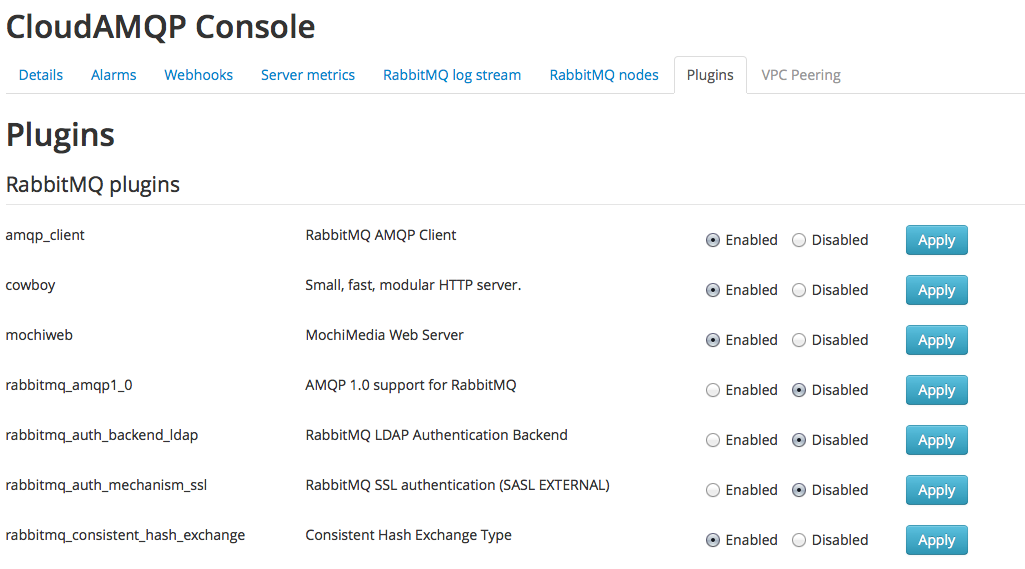
It is now possible to enable and disable plugins from the contol panel!
Common plugins can now be enabled and disabled from the control panel for your dedicated instances. To enable/disable a plugin, simply enter the details view of the instance and press the plugin tab. You will see a list of the most common used plugins. For custom plugins please e-mail support@cloudamqp.com and we will install them for you.
Please email us at contact@cloudamqp.com if you have any suggestions or feedback.
 Lovisa Johansson