At this point, the client doesn’t know whether the transfer completed. This raises some important questions:
- Did the transfer complete?
- Is it safe for the client to retry the request?
- What happens if the transfer completed before the crash, but the client never received the response?
These questions are difficult to answer when the API is responsible for accepting the request, processing the transaction, and returning the response.
A common approach is to separate accepting the request from processing the transaction. Instead of performing the entire operation inside the API request, the API publishes the transaction to a message broker, and a background worker processes it independently.
The broker can hold the transaction until a worker is ready to process it, allowing the API and transaction-processing workflow to operate independently.
In this tutorial, we’ll build a small banking application with Node.js and LavinMQ. We’ll use amqplib as our Node.js AMQP client and LavinMQ as the message broker between the Banking API and the worker.
The architecture
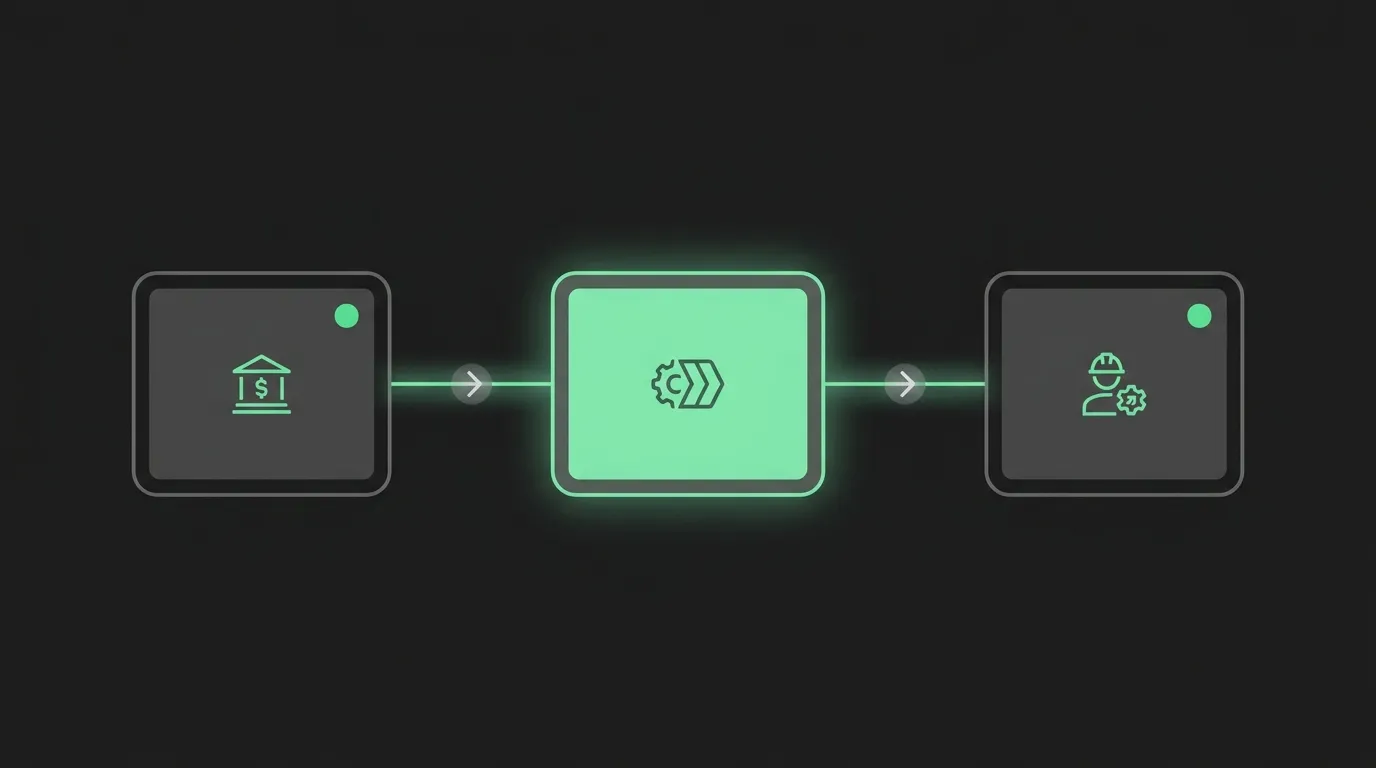
The application has three main components: a client, a Banking API, and a worker. LavinMQ sits between the API and the worker, storing transaction messages until they can be processed.

The diagram illustrates the flow. The client sends a transaction request to the Banking API, which validates the request and publishes a transaction message to LavinMQ. LavinMQ stores the message until a worker is ready to process it. The worker then consumes the message and passes it to the banking logic.
Using LavinMQ to decouple services
Processing a transaction directly inside the API can work well when the operation is quick and self-contained. But real-world transactions may depend on several other services. For example, the application might need to:
- Check the transaction with a fraud detection service.
- Contact a payment provider or another banking service.
- Perform compliance or account checks.
- Send a confirmation notification after the transaction is completed.
A slow or unavailable service can cause the request to fail or leave the client uncertain about what happened to the transaction.
With LavinMQ in the middle, the API can publish the transaction and the background worker can process it independently. For example, if a fraud detection service is temporarily unavailable, the worker can retry the transaction later without requiring the client to retry the original request.
This decouples request acceptance from transaction processing.
Terminology used throughout this tutorial
| Component | Responsibility |
|---|---|
| Client | Sends a transaction request. |
| Publisher | The Banking API. It accepts requests and publishes transaction messages to LavinMQ. |
| Message | A banking transaction waiting to be processed. |
| LavinMQ | The message broker that stores and delivers messages. |
| Queue | Stores transaction messages until they’re processed. |
| Worker | A long-running process that handles background work. |
| Consumer | The part of the worker that receives messages from LavinMQ. |
| CloudAMQP | Provides the managed LavinMQ environment. |
About this series
This is the first part of a four-part series about building a reliable messaging application with Node.js and LavinMQ.
- Part 1 — Building the application: We’ll build the complete banking transaction flow and introduce the core LavinMQ concepts needed to connect the publisher and consumer.
- Part 2 — Handling failures: We’ll extend the application to handle transaction failures using retries, dead-letter queues, and idempotent processing.
- Part 3 — Comparing LavinMQ clients: We’ll compare
amqplibandamqp-client.jswith a particular focus on connection and consumer recovery. - Part 4 — Migration: We’ll take an existing
amqplibapplication and walk through the process of migrating it toamqp-client.js.
The complete project is available on GitHub, including setup instructions and implementations using both clients. See the project README for installation, configuration, and instructions for running the application.
For Part 1, we’ll use the amqplib implementation. The application separates the LavinMQ-client-specific operations from the banking logic.
amqplib/
├── broker.js
├── producer.js
└── worker.js
The responsibilities are simple:
producer.jscreates transactions.worker.jsprocesses transactions.broker.jshandles communication with LavinMQ usingamqplib.
This separation will become important later in the series when we migrate the broker layer to amqp-client.js.
Setting up CloudAMQP
Go to CloudAMQP and log in or sign up for an account, and create a new LavinMQ instance. Open the instance and copy its AMQP URL. You can find it under AMQP Details, as shown in the screenshot below.
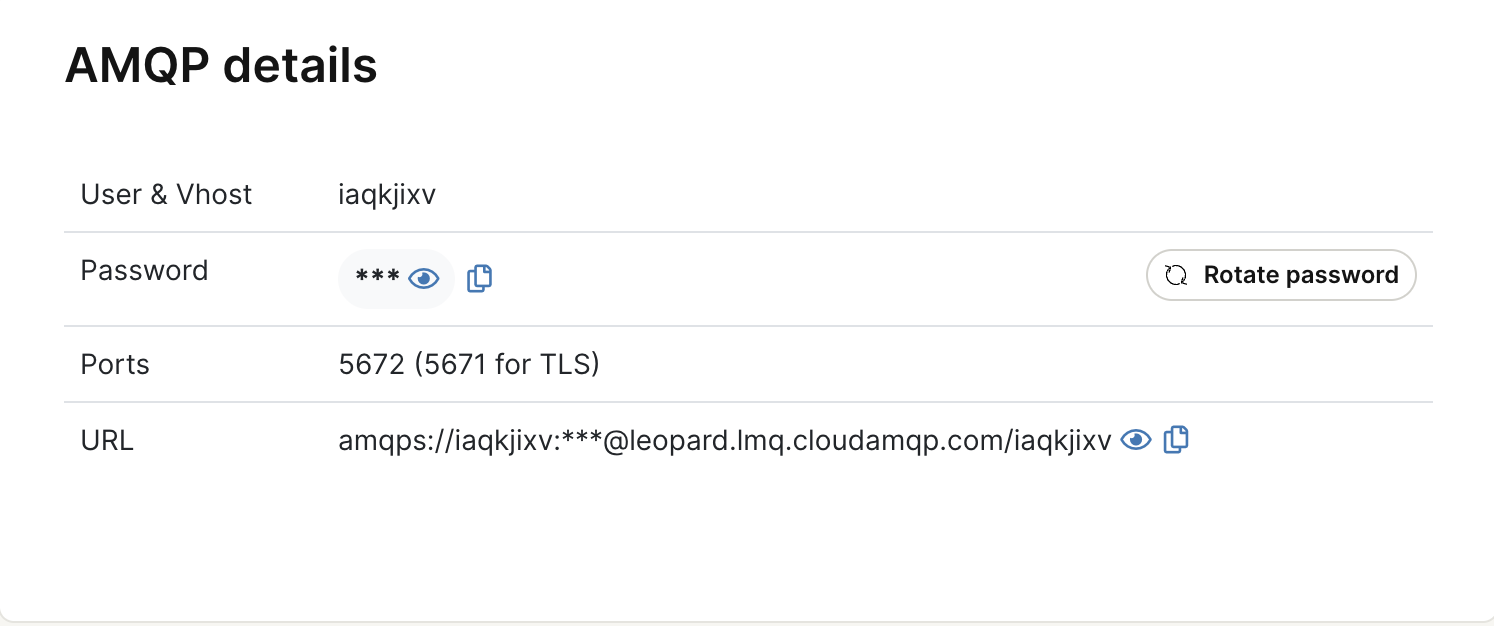
Create a .env file in the project root and add:
AMQP_URL=amqps://username:password@host/vhost
Keep your AMQP URL private. Store it in your .env file and add the file to your .gitignore so your credentials stay out of source control.
Creating the messaging resources
Before publishing a transaction, we need somewhere to send it. The application uses three queues and a dead-letter exchange.
| Queue | Purpose |
|---|---|
banking.transactions |
Holds new transactions waiting to be processed. |
banking.transactions.retry |
Temporarily holds transactions that should be retried. |
banking.transactions.dead |
Holds transactions that cannot be processed automatically. |
The project’s setup script creates these resources. Run:
npm run setup
The setup script creates the main transaction queue, retry queue, dead-letter queue, and dead-letter exchange.
The retry queue uses a five-second message TTL. After the TTL expires, the message is routed back to the main transaction queue.
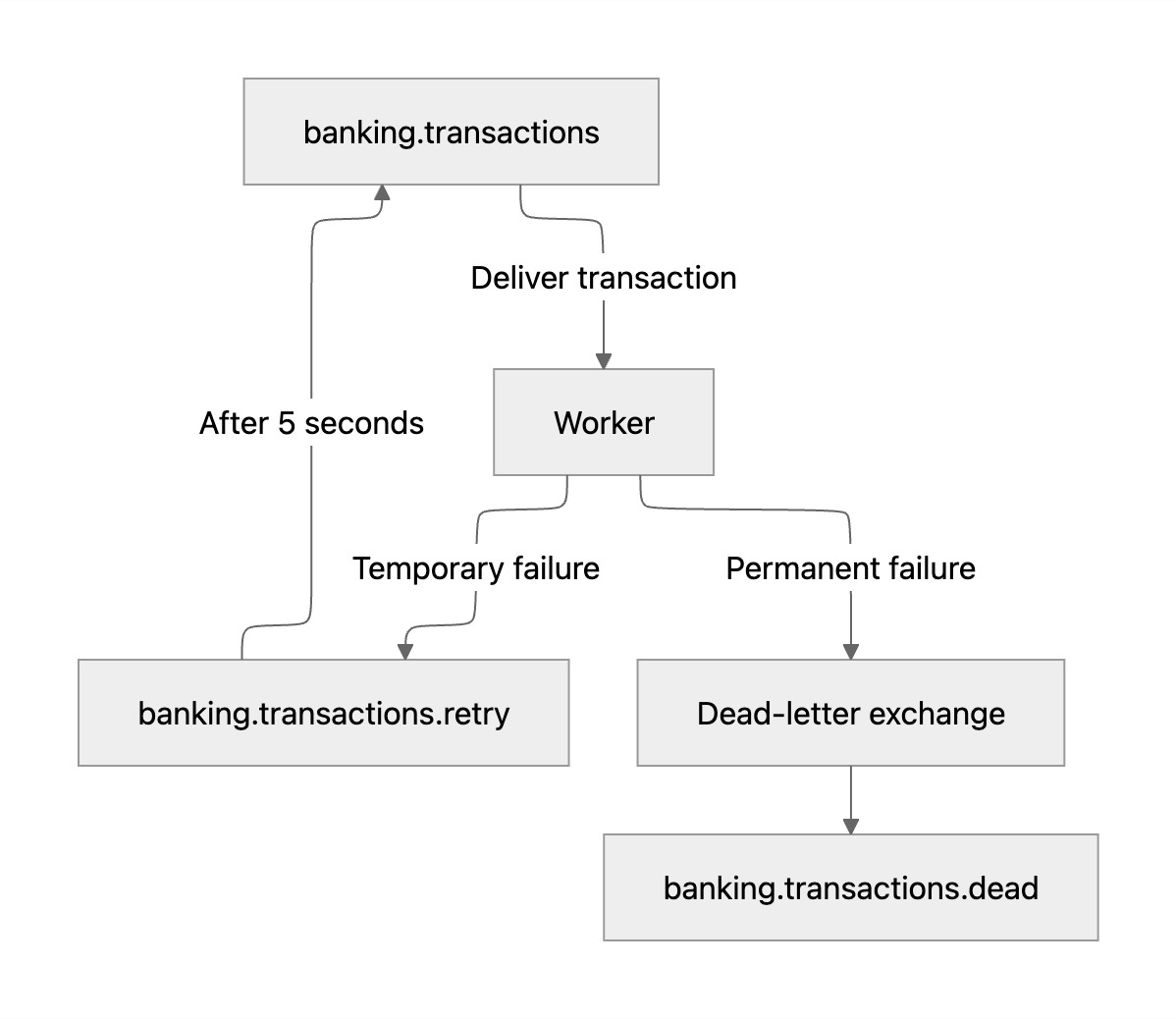
For now, don’t worry too much about the retry and dead-letter paths. We’ll use them in Part 2 when we introduce failure handling.
Publishing the first transaction
The producer’s job is simple. It creates a transaction containing information such as the transaction ID, accounts, currency, amount, and scenario. The transactionId uniquely identifies the transaction. For example:
const transaction = {
  ...createTransaction(scenario),
  scenario,
};
Once the transaction has been created, the producer connects to LavinMQ through the broker layer. It then asks the broker to publish the transaction to the main transaction queue.
await broker.connect();
await broker.publishTransaction(
  transaction,
  scenario
);
The actual amqplib implementation is kept inside broker.js. This keeps the producer focused on creating and publishing transactions without depending directly on the AMQP client API. After publishing, the producer closes the connection.
Transaction scenarios
The producer supports several scenarios that we’ll use throughout the series:
| Scenario | Description |
|---|---|
valid |
A transaction that should be processed successfully. |
invalid |
An invalid transaction that should not be retried. |
review |
A high-value transaction that requires manual review. |
temporary-failure |
A transaction that simulates a temporary failure. |
random |
Generates a transaction with a random amount. |
The broker publishes the transaction as a persistent message to a durable queue. This is important for messages that should survive a broker restart.
Publishing a message doesn’t mean the transaction has been processed. LavinMQ holds the transaction in the queue until it can be delivered to a consumer.
Consuming transactions
The worker runs independently from the producer. Its job is to receive transactions and pass them to the banking logic for processing. Just like the producer, the worker communicates with LavinMQ through broker.js. When the worker starts, it connects through the broker and subscribes its message handler to the transaction queue.
await broker.connect();
await broker.subscribe(handleMessage);
The broker layer handles the amqplib-specific details of creating the consumer and configuring prefetch. For this application, the consumer uses a prefetch count of 1. This means LavinMQ delivers one unacknowledged message at a time to the consumer.
Processing the transaction
When a transaction arrives, the worker receives the message in handleMessage(). It reads the transaction from the message and passes it to the banking logic.
const transaction = JSON.parse(
  message.content.toString()
);
const result = await processTransaction(transaction);
If processing succeeds, the result is saved. The worker then asks the broker layer to acknowledge the message.
saveResult(transaction.transactionId, result);
broker.acknowledge(message);
Again, the worker doesn’t need to know how amqplib performs the acknowledgement. That implementation remains inside broker.js.
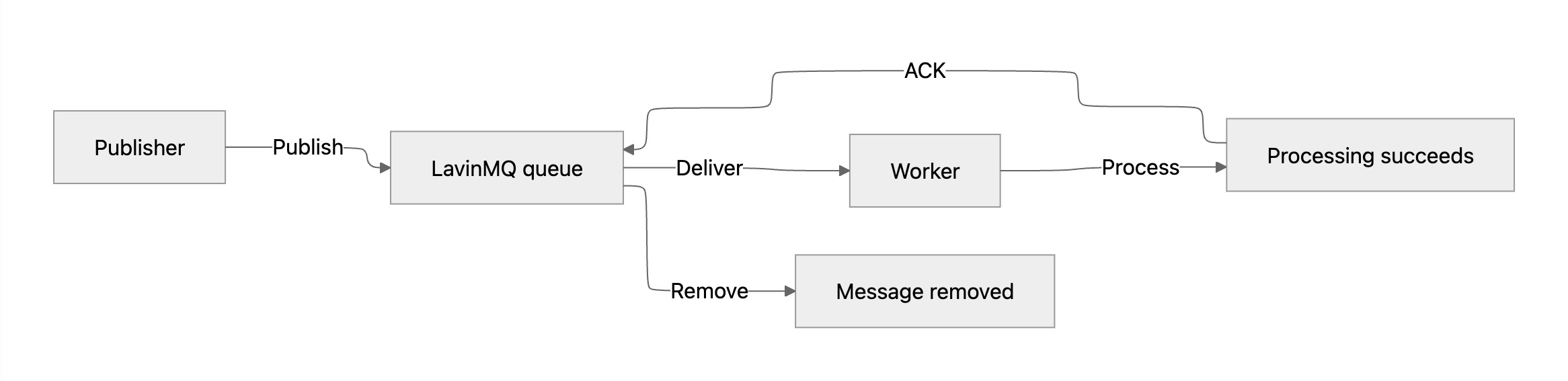
Why acknowledge the message after processing?
Receiving a transaction isn’t the same as successfully processing it. Our consumer uses manual acknowledgements. This means LavinMQ doesn’t consider the transaction successfully handled simply because it was delivered to the worker. Instead, the worker acknowledges the message after processing succeeds.
If the consumer connection disappears before an acknowledgement is sent, the unacknowledged message can become available for delivery again. This is important for our banking application because we don’t want a transaction to disappear simply because a worker failed while processing it.
However, redelivery introduces another question. What happens if the transaction was processed successfully but the acknowledgement was never received? We’ll address that in Part 2 when we introduce idempotent transaction processing.
What’s next?
So far, we’ve implemented the successful path — publish → queue → consume → process → acknowledge.
But transaction processing doesn’t always succeed. An external service may be temporarily unavailable. A transaction may be invalid. A high-value transaction may require manual review. And because messages can be delivered again, we also need to make sure the same transaction isn’t processed twice.
In Part 2, we’ll extend the application with:
- retries for temporary failures,
- dead-lettering for transactions that can’t be processed automatically, and
- idempotent processing to protect against duplicate transaction processing.
We’ll build these reliability patterns on top of the same producer, worker, broker layer, and LavinMQ architecture introduced here.
 Hailay Gebremeskel