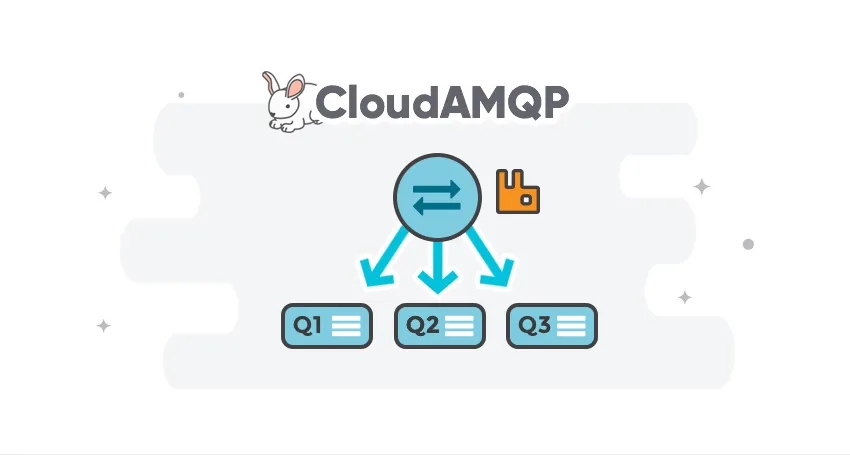
RabbitMQ routing relies on exchanges, bindings, and queues. But how do they work together? This guide explains these core concepts, the four primary exchange types, and what happens to messages that no queue wants.
Messages are not published directly to a queue. Instead, the producer sends messages to an exchange. Exchanges are message-routing agents defined by the virtual host in RabbitMQ. An exchange is responsible for routing messages to different queues using header attributes, bindings, and routing keys.
A binding is a “link” that you set up to bind a queue to an exchange.
The routing key is a message attribute that the exchange uses to determine how to route the message to queues (depending on exchange type).
Exchanges and queues can be configured with parameters such as durable, transient, and auto-delete upon creation. Durable exchanges survive server restarts and last until they are explicitly deleted. Transient exchanges exist until RabbitMQ is shut down. Auto-deleted exchanges are removed once the last bound object is unbound from the exchange.
In RabbitMQ, there are four different types of exchanges that route the message differently using different parameters and binding setups. Clients can create their own exchanges or use the predefined default exchanges created when the server starts for the first time.
Standard RabbitMQ message flow
- The producer publishes a message to the exchange.
- The exchange receives the message and is now responsible for the routing of the message.
- Binding must be set up between the queue and the exchange. In this case, we have bindings to two different queues from the exchange. The exchange routes the message into the queues.
- The messages stay in the queue until they are handled by a consumer.
- The consumer handles the message.

If you are not familiar with RabbitMQ and message queueing, read RabbitMQ for beginners - what is RabbitMQ? before moving on to exchanges, routing keys, headers, and bindings.
Each exchange type below comes with a simulation. Pick a routing key or headers, publish a message, and see which queues get a copy.
Exchange types
Direct Exchange
A direct exchange delivers messages to queues based on a message routing key. The routing key is a message attribute added to the message header by the producer. Think of the routing key as an “address” that the exchange is using to decide how to route the message. A message goes to the queue(s) with the binding key that exactly matches the routing key of the message.
The direct exchange type is useful to distinguish messages published to the same exchange using a simple string identifier
Every RabbitMQ server has a predeclared direct exchange called amq.direct, ready to use.
Imagine that queue A (create_pdf_queue) in the image below (Direct Exchange Figure) is bound to a direct exchange (pdf_events) with the binding key pdf_create. When a new message with routing key pdf_create arrives at the direct exchange, the exchange routes it to the queue where the binding_key = routing_key, in the case of queue A (create_pdf_queue).
Scenario 1
- Exchange: pdf_events
- Queue A: create_pdf_queue
- Binding key between exchange (pdf_events) and Queue A (create_pdf_queue): pdf_create
Scenario 2
- Exchange: pdf_events
- Queue B: pdf_log_queue
- Binding key between exchange (pdf_events) and Queue B (pdf_log_queue): pdf_log
Example
Example: A message with routing key pdf_log is sent to the exchange pdf_events. The message is routed to pdf_log_queue because the routing key (pdf_log) matches the binding key (pdf_log).
If the message routing key does not match any binding key, the message is discarded.

Simulation of the direct exchange pdf_events. The queue create_pdf_queue binds with the key pdf_create, and pdf_log_queue binds with pdf_log. A message with the key pdf_delete matches no binding and is dropped, unless an alternate exchange sends it to the unrouted queue.
Try pdf_delete: no queue has that binding, so the exchange drops the message.
Switch on the alternate exchange and publish it again, and it lands in unrouted instead.
More about that in Unroutable messages below.
Default exchange
The default exchange is a predeclared, unnamed direct exchange, typically referred to as an empty string. When you use a default exchange, your message is delivered to the queue with a name equal to the routing key of the message. Every queue is automatically bound to the default exchange with a binding key (the routing key on the binding) equal to the queue name.
Topic Exchange
Topic exchanges route messages to queues based on wildcard matches between the routing key and the routing pattern, which is specified by the queue binding. Messages are routed to one or many queues based on a match between a message routing key and this pattern.
The routing key must be a list of words, delimited by a period (.). Examples include agreements.us and agreements.eu.stockholm,
which identify agreements configured for a company with offices in multiple locations.
The routing patterns may contain an asterisk (*) to match a word in a specific position of the routing key (e.g., a routing pattern of agreements.*.*.b.*
only match routing keys where the first word is “agreements” and the fourth word is “b”). A pound symbol (#) indicates a match of zero or more words
(e.g., a routing pattern of agreements.eu.berlin.# matches any routing keys beginning with “agreements.eu.berlin”).
Consumers indicate which topics they are interested in (e.g., subscribing to a feed for a specific tag). The consumer creates a queue and binds it to the exchange using a specified routing pattern. All messages with a routing key that matches the routing pattern are routed to the queue and remain there until the consumer consumes them.
Every RabbitMQ server has a predeclared topic exchange called amq.topic.
Scenario 1
The image on the right shows an example in which consumer A is interested in all agreements in Berlin.
- Exchange: agreements
- Queue A: berlin_agreements
- Routing pattern between exchange (agreements) and Queue A (berlin_agreements): agreements.eu.berlin.#
- Example of message routing key that matches: agreements.eu.berlin and agreements.eu.berlin.store
Scenario 2
Consumer B is interested in all the agreements.
- Exchange: agreements
- Queue B: all_agreements
- Routing pattern between exchange (agreements) and Queue B (all_agreements): agreements.#
- Example of message routing key that matches: agreements.eu.berlin and agreements.us

Scenario 3
Consumer C is interested in all agreements for European head stores.
- Exchange: agreements
- Queue C: store_agreements
- Routing pattern between exchange (agreements) and Queue C (store_agreements): agreements.eu.*.store
- Example of message routing keys that will match: agreements.eu.berlin.store and agreements.eu.stockholm.store
Example
A message with routing key agreements.eu.berlin is sent to the agreements exchange. The messages are routed to the queue berlin_agreements because the routing pattern of “agreements.eu.berlin.#” matches the routing keys beginning with “agreements.eu.berlin”. The message is also routed to the queue all_agreements because the routing key (agreements.eu.berlin) matches the routing pattern (agreements.#).
Simulation of the topic exchange agreements. The queue berlin_agreements binds with agreements.eu.berlin.#, all_agreements with agreements.# and store_agreements with agreements.eu.*.store. The key agreements.eu.berlin.store goes to all three queues, while agreements.us only goes to all_agreements.
Type your own routing key to test the edge cases. agreements on its own matches agreements.#,
because # also matches zero words. agreements.eu.store doesn’t match agreements.eu.*.store,
because * needs exactly one word in that position.
Fanout Exchange
A fanout exchange copies and routes a received message to all queues that are bound to it, regardless of routing keys or pattern matching, as with direct and topic exchanges. The provided keys will be ignored.
Fanout exchanges can be useful when the same message needs to be sent to one or more queues, with consumers that may process it differently.
The image to the right (Fanout Exchange) shows an example in which a message received by the exchange is copied and routed to all three queues bound to it. It could be sport or weather updates that should be sent out to each connected mobile device when something happens, for instance.
Every RabbitMQ server has a predeclared fanout exchange called amq.fanout.

Scenario 1
- Exchange: sport_news
- Queue A: Mobile client queue A
- Binding: Binding between the exchange (sport_news) and Queue A (Mobile client queue A)
Example
A message is sent to the exchange sport_news. The message is routed to all queues (Queue A, Queue B, Queue C) because all queues are bound to the exchange. Provided routing keys are ignored.
Simulation of the fanout exchange sport_news with three bound queues: Mobile client queue A, B and C. Every message goes to all three, whatever the routing key.
Change the routing key and publish again: nothing changes. Three queues, three copies.
Headers Exchange
A header exchange routes messages based on arguments containing headers and optional values. Header exchanges are very similar to topic exchanges, but route messages based on header values rather than routing keys. A message matches if the value of the header equals the value specified upon binding.
A special argument named “x-match”, added in the binding between exchange and queue, specifies if all headers must match or just one. Either any common header between the message and the binding counts as a match, or all the headers referenced in the binding need to be present in the message for it to match. The “x-match” property can have two different values: “any” or “all”, where “all” is the default value. A value of “all” means all header pairs (key, value) must match, while a value of “any” means at least one of the header pairs must match. Headers can be constructed using a wider range of data types, integer or hash, for example, instead of a string. The headers exchange type (used with the binding argument “any”) is useful for directing messages that contain a subset of known (unordered) criteria.
Every RabbitMQ server has a predeclared headers exchange called amq.headers.
Example
- Exchange: Binding to Queue A with arguments (key = value): format = pdf, type = report, x-match = all
- Exchange: Binding to Queue B with arguments (key = value): format = pdf, type = log, x-match = any
- Exchange: Binding to Queue C with arguments (key = value): format = zip, type = report, x-match = all
Scenario 1
Message 1 is published to the exchange with header arguments (key = value): "format = pdf", "type = report".
Message 1 is delivered to Queue A because all key/value pairs match, and Queue B since "format = pdf" is a match (binding rule set to "x-match =any").
Scenario 2
Message 2 is published to the exchange with header arguments of (key = value): "format = pdf".
Message 2 is only delivered to Queue B. Because the binding of Queue A requires both "format = pdf" and "type = report" while Queue B is configured to match any key-value pair (x-match = any) as long as either "format = pdf" or "type = log" is present.

Scenario 3
Message 3 is published to the exchange with header arguments of (key = value): “format = zip”, “type = log”.
Message 3 is delivered to Queue B since its binding indicates that it accepts messages with the key-value pair “type = log”, it doesn’t mind that “format = zip” since “x-match = any”.
Queue C doesn’t receive any of the messages since its binding is configured to match all of the headers (“x-match = all”) with “format = zip”, “type = report”. No message in this example lives up to these criteria.
It’s worth noting that in a header exchange, the actual order of the key-value pairs in the message is irrelevant.
Simulation of a headers exchange. Queue A binds with x-match = all, format = pdf and type = report. Queue B binds with x-match = any, format = pdf and type = log. Queue C binds with x-match = all, format = zip and type = report. A message with format = pdf and type = report goes to Queue A and Queue B.
Try the three messages from the scenarios above, then clear both headers: with no headers, nothing matches.
Unroutable messages
If no binding matches, the exchange drops the message without telling anyone. Two settings can catch it instead:
- Alternate exchange: set on the exchange. Every message that no binding matches goes to the alternate exchange instead. Bind a queue to the alternate exchange, and the messages wait there so someone can follow up. Without a bound queue, they’re still dropped. Try it in the direct exchange simulation above. Collecting unroutable messages in a RabbitMQ alternate exchange shows how to set it up.
- The
mandatoryflag: set by the producer when it publishes. If no queue takes the message, RabbitMQ returns it to the producer, so the producer knows right away.
Dead Letter Exchange
A dead letter exchange solves a different problem: messages that reached a queue, but were dead-lettered there:
- the consumer rejected the message without requeueing it
- the message expired, because of a time-to-live (TTL)
- the queue was full, and the message was dropped to make room
Dead-lettering isn’t automatic. Set a dead letter exchange on the queue and bind a queue to it, and these messages go there instead of disappearing, so you can inspect them. Without that setup, they’re discarded. Read more in When and how to use the RabbitMQ Dead Letter Exchange.
Please email us at contact@cloudamqp.com if you have any suggestions about missing content or other feedback.
Guide — RabbitMQ for beginners
CloudAMQP - industry-leading RabbitMQ as a Service
Fully managed RabbitMQ clusters on all major clouds. Free plan available - no credit card required.
Sign up for free
 Lovisa Johansson