
The Advantage of CloudAMQP vs Installing your own RabbitMQ Server
Trying to figure out how to install your own RabbitMQ server? Let us help you with everything around your RabbitMQ server! Server download, install and config.
 Johan Rhodin
Showing 133–144 of 153 posts
Trying to figure out how to install your own RabbitMQ server? Let us help you with everything around your RabbitMQ server! Server download, install and config.
Johan Rhodin
This article explains the difference between shared and dedicated plans in CloudAMQP. Find out which plan option will work best for you! Dedicated plans provides guaranteed isolation between instances. Shared...
 Lovisa Johansson

Frequently Asked RabbitMQ Question: How do we delete accidentally created queues in RabbitMQ? The most common ways are either you do it via the web based UI or via a...
Lovisa Johansson
Frequently Asked RabbitMQ Question: How do we delete all messages in a queue? There are different options. The web based UI can be used or a script can be used....
Lovisa Johansson
The RabbitMQ Delayed Message Plugin adds a new exchange type to RabbitMQ where messages routed by that exchange can be delayed if the user adds a delay header to a...
Lovisa Johansson

Out of memory and high CPU usage are common reasons for unresponsive RabbitMQ servers. Find out how to solve it!.
Lovisa Johansson
The different setup options between one, two and three nodes in CloudAMQP. Find out how to maximize consistency, performance and availability for your specific application.
Lovisa Johansson
When is the right time to use a message queue and why is a database not always the right tool for a queue based system?
Lovisa Johansson
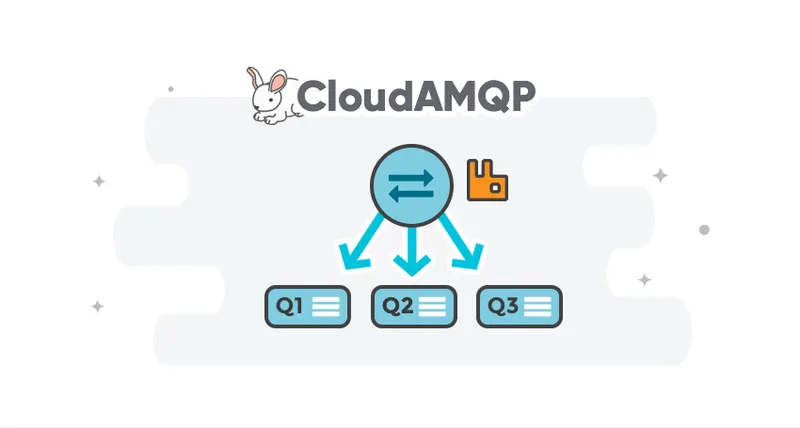
Learn about the different types of exchanges in RabbitMQ and scenarios for how and when you should use exchanges.
Lovisa Johansson

Get started with RabbitMQ on Android. How to create a simple chat room in Android (Android Studio), using RabbitMQ.
Lovisa Johansson
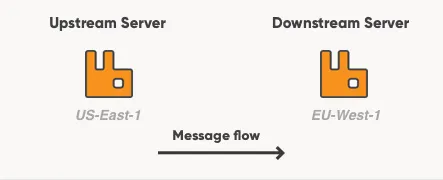
RabbitMQ Federation plugin can be used when migrating to another cluster without stopping all producers and consumers while doing so. This article explains how to migrate between two clusters with...
Lovisa Johansson
Derick Bailey has compiled a lot of work about RabbitMQ into a bundle called RabbitMQ for developers. A great way to get started with RabbitMQ!
Lovisa Johansson