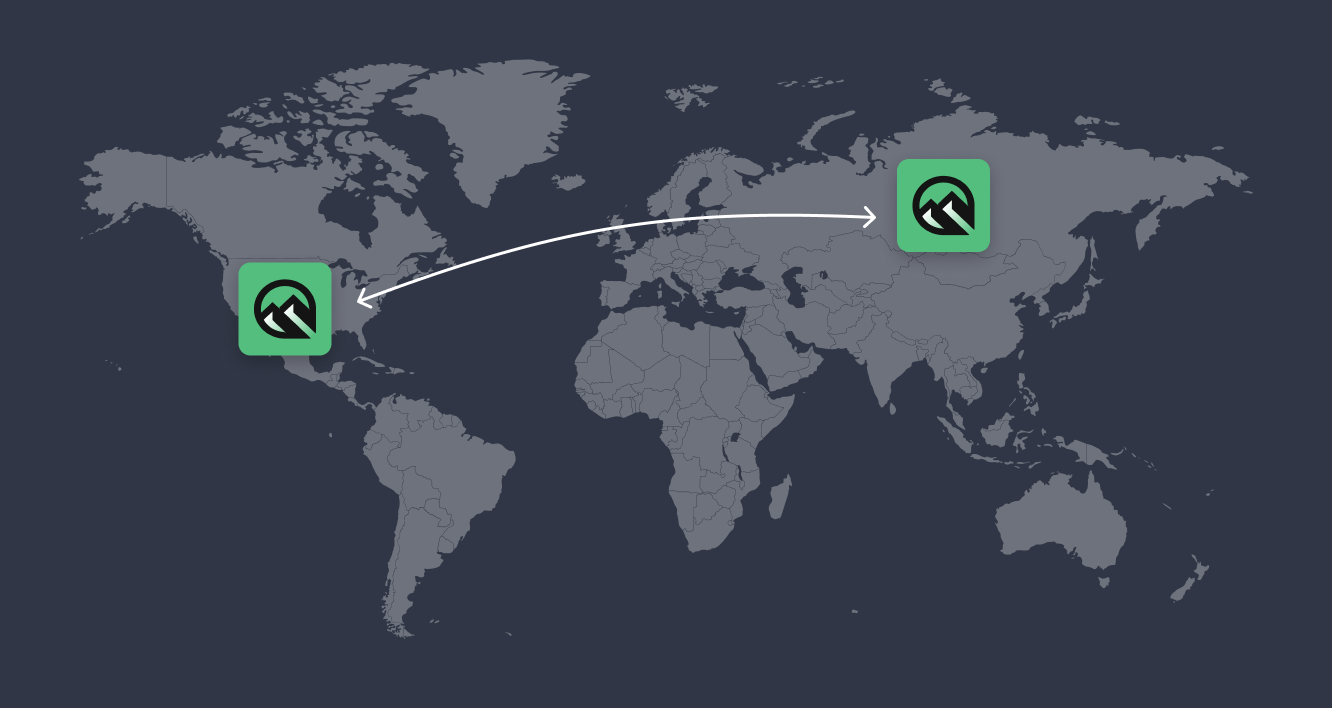
Figure 1: LavinMQ queue federation can be used to migrate workloads between clusters running in different regions.
Upstream and downstream clusters
In a federated setup, the upstream cluster is where messages are originally published. The downstream cluster is where messages are eventually consumed. Conceptually, the downstream cluster subscribes to queues in the upstream cluster and pulls messages only when needed. This means that messages remain in the upstream cluster until the downstream cluster is ready to process them. The diagram below shows a typical federated setup, where queues on an upstream cluster are connected to corresponding queues on a downstream cluster.
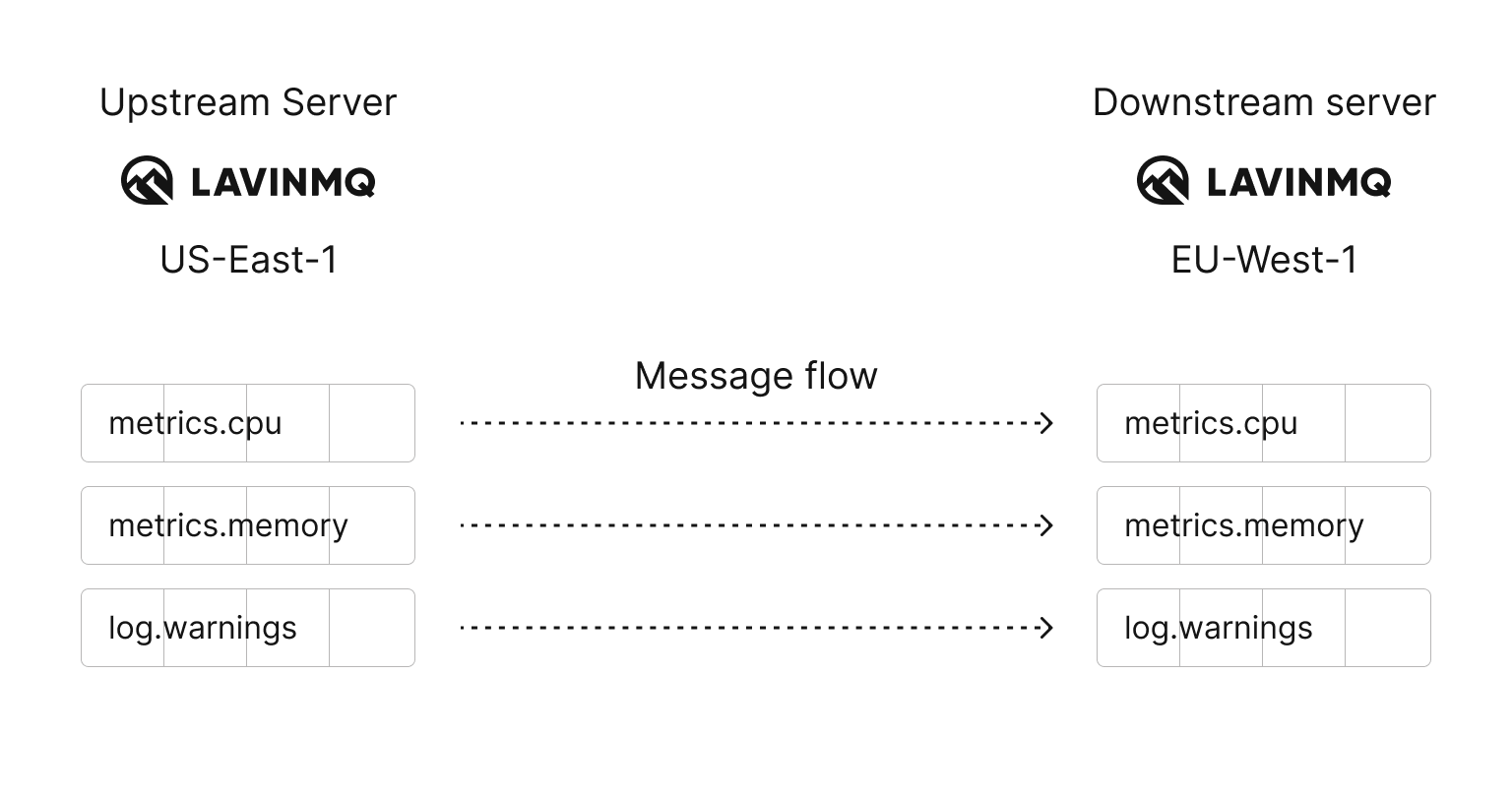
Figure 2: Messages flow from the upstream cluster to the downstream cluster only when consumers are available on the downstream queues.
Queue federation
Queue federation connects a queue on an upstream cluster to a queue on a downstream cluster. Messages are transferred only when there are consumers on the downstream queue that are ready to receive them.
This behavior makes queue federation well-suited for cluster migrations. Producers and consumers do not need to be moved at the same time, and messages remain safe throughout the process.
Queue federation is pull-based. Messages stay in the upstream cluster until the downstream queue has consumers and runs out of local messages. Only then are messages fetched from the upstream queue.
Example migration scenario
In this example, an existing cluster is running in AWS us-east-1 (Northern Virginia). We want to migrate to a new cluster in eu-west-1 (Ireland).
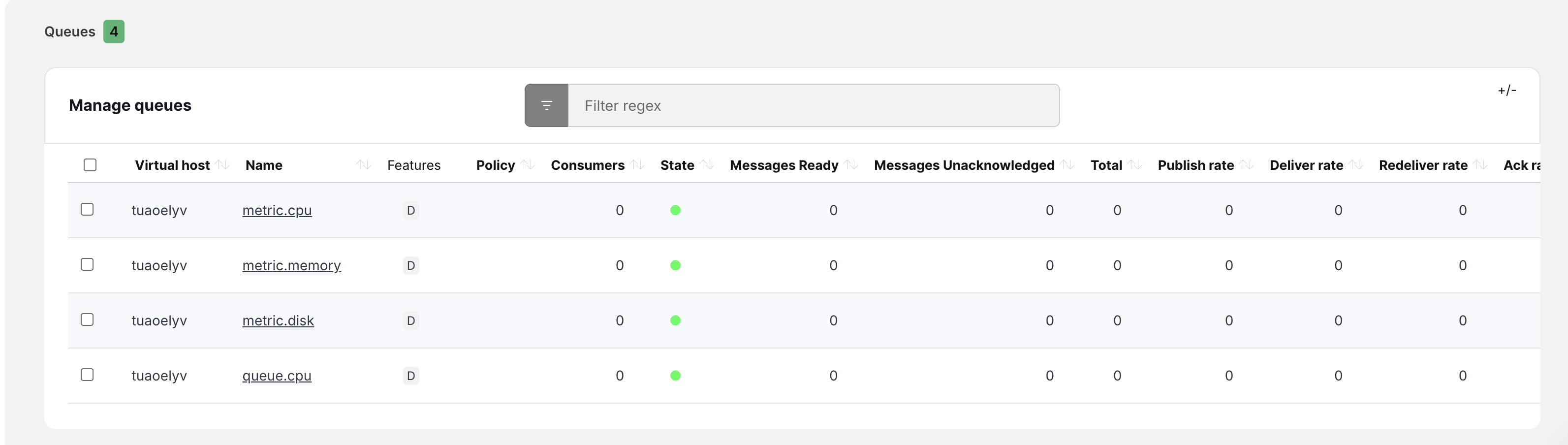
The us-east-1 cluster acts as the upstream cluster, while the eu-west-1 cluster acts as the downstream cluster. The upstream cluster contains several queues that should be migrated, for example, metric.cpu and metric.memory. See screenshot below.

Step 1: Set Up the New Cluster
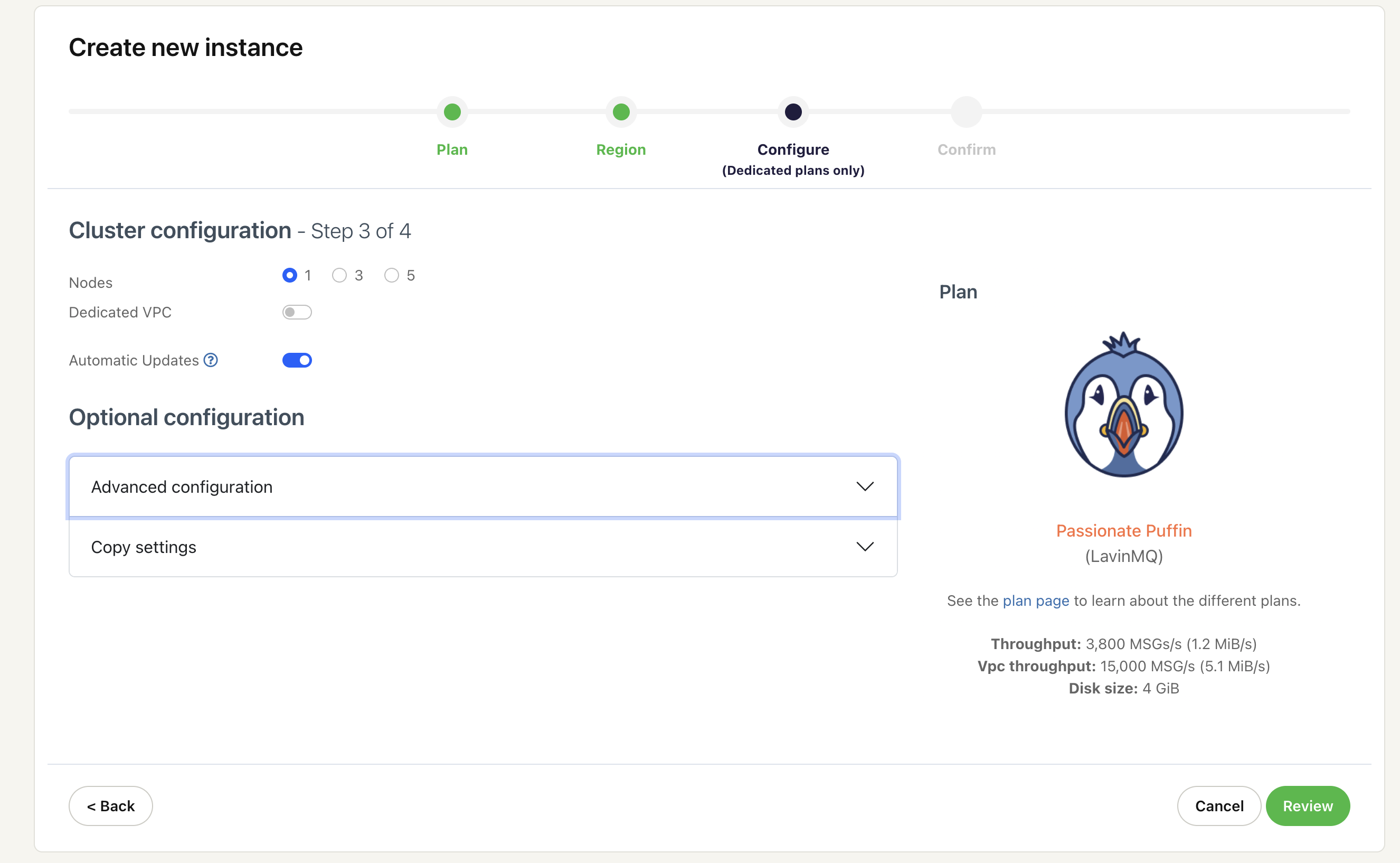
Start by creating a new CloudAMQP instance in the target region. This instance will be the downstream cluster. When creating the instance, it is possible to copy configuration settings such as queues, exchanges, and enabled plugins from the existing cluster by selecting Copy settings (optional) during instance creation. This helps ensure both clusters are logically compatible.
Step 2: Create a Federation Policy
Step 2: Create a federation policy A federation policy defines which queues should be federated. The policy uses a regular expression to match queue names. In the downstream cluster, navigate to Administration → Policies and create a policy that matches all queues starting with “metric.”. The policy should apply to queues and reference the federation upstream set.
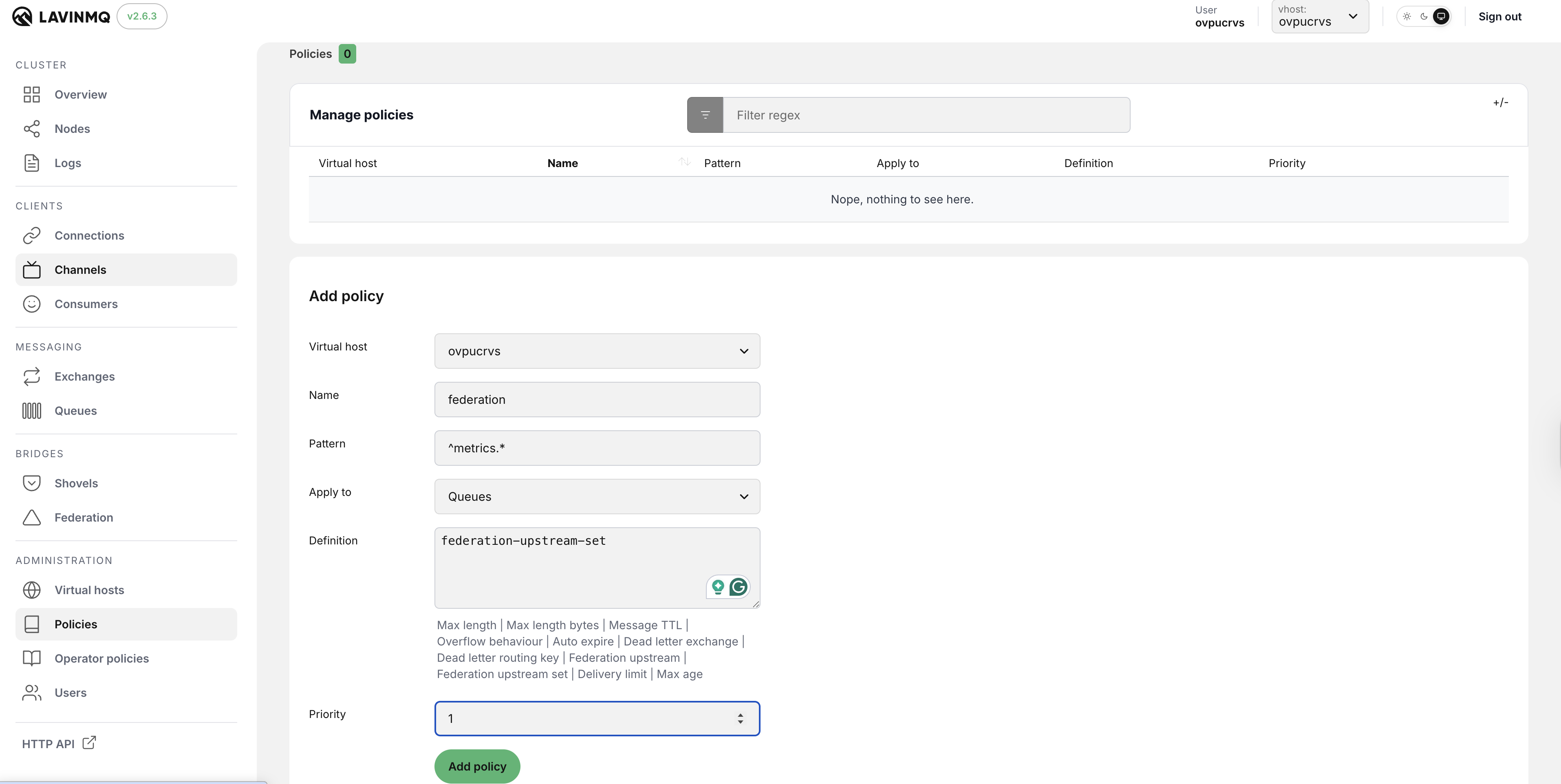

Policies are evaluated whenever queues are created or matched. If the regular expression does not match a queue name, federation will not apply.
Step 3: Configure the Federation Upstream
Next, configure the connection to the upstream cluster. In the downstream cluster, navigate to Bridges → Federation and add a new upstream. The AMQP URL must be copied from the overview page of the upstream CloudAMQP instance. This URL already includes the correct hostname, port, virtual host, and TLS configuration.
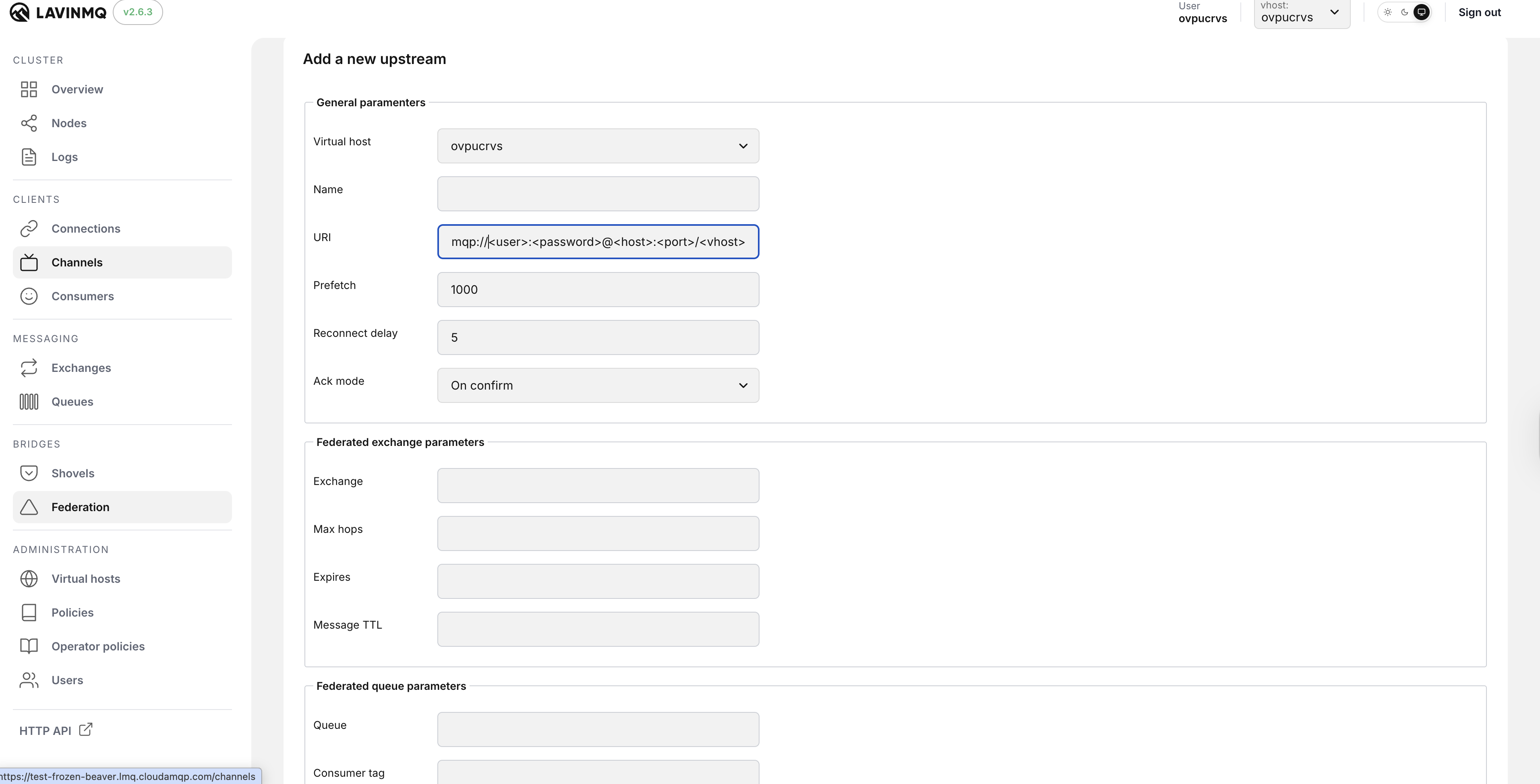
At this point, the federation upstream is created. However, no messages have been transferred yet. This is expected behavior.
Step 4: Create the Queues
Create the queues that should be federated in the downstream cluster. The queue names and virtual hosts must match those in the upstream cluster.
Queues can be created manually using the management interface or automatically by application code. LavinMQ does not display a special federated queue type. Federation is applied dynamically through policies rather than through queue metadata.
Step 5: Why Federation Is Not Active Yet
Once a queue with a matching name is created in the downstream cluster, LavinMQ immediately evaluates the federation policy. If the policy matches, the federation upstream becomes active for that queue.
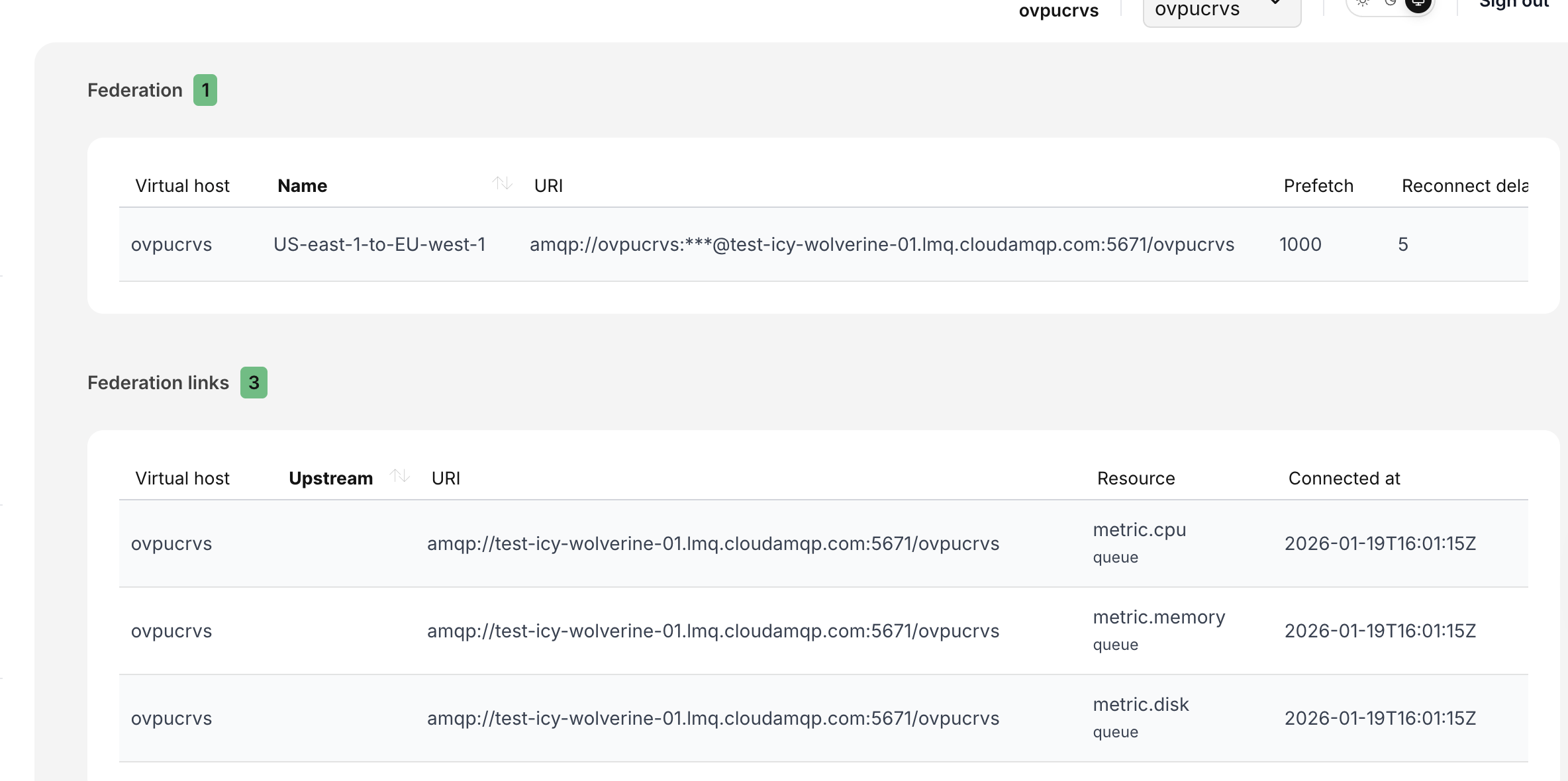
To verify this, navigate to Bridges**→** Federation ****in the downstream cluster. If federation is active, you will see a Federation link change from 0 to a positive number, showing the upstream connection, the queue resource, and the time the link was established. This confirms that the downstream cluster can now pull messages from the upstream cluster. See screenshot below.
It is important to note that federation links are created lazily. They appear only when a matching queue exists and federation is required. Seeing the upstream configured without any federation links before this step is normal and expected behavior.
Migrating Services
With federation active, services can now be migrated gradually. Consumers can be moved to the downstream cluster first, followed by producers. Once all producers publish directly to the new cluster, federation traffic naturally stops, and the upstream cluster can be safely decommissioned.
Summary
Queue federation enables a smooth and reliable cluster migration by allowing a downstream cluster to pull messages from an upstream cluster only when needed. Producers and consumers can be moved independently, messages are not duplicated, and no downtime is required. This makes LavinMQ queue federation a practical approach for migrating clusters in production.
Please email us at contact@cloudamqp.com if you have any suggestions, questions or feedback.