Audit Log
CloudAMQP keeps an audit trail so you can see who changed what, and when. There are two complementary logs: the team-wide Audit Log for account and team changes, and the per-instance Account History for changes to a specific broker.
Both logs let you filter by month and by event type, and both can be exported as CSV for archiving or review in your own tools.
Team Audit Log
The team Audit Log is found in the account settings, alongside Team and API Access. It records account- and team-level events, for example:
- Signing in and failed sign-in attempts
- Creating, editing, deleting and transferring instances
- Adding and removing API keys
- Inviting, removing and changing team members
- Changing SAML and two-factor authentication settings
- Billing changes such as invoice currency
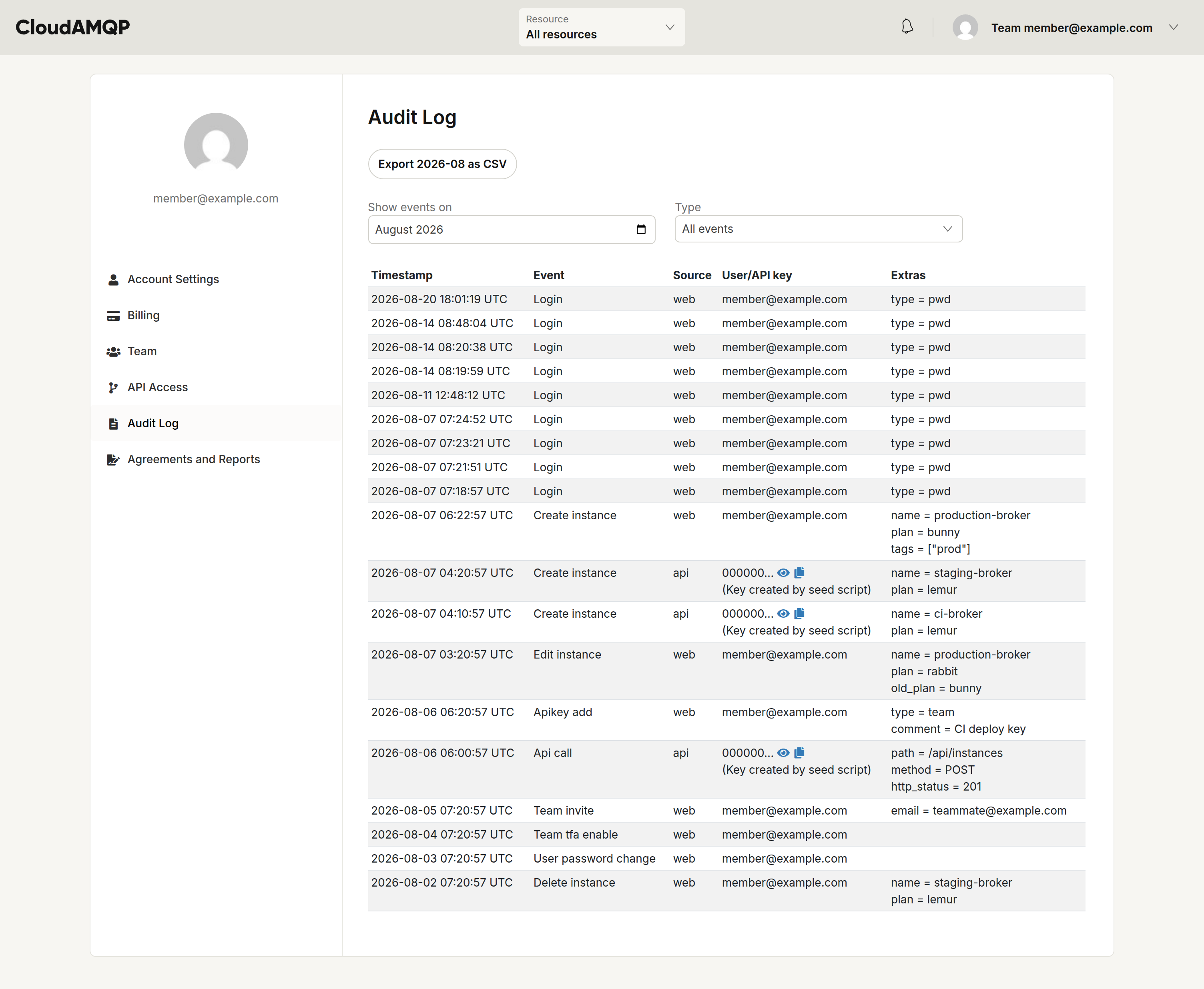
Each row shows the timestamp, the event, its source — whether it came from the web console or the HTTP API — and the user or API key responsible, together with any relevant extra details. Actions made with an API key (including through the Terraform provider) are attributed to that key.
Use the Show events on month picker and the Type filter to narrow the list, and Export … as CSV to download the selected month.
Account History
Every instance console has an Account History tab that records changes made to that specific instance. It complements the team Audit Log by capturing broker-level operations, for example:
- Restarting, stopping and starting the cluster
- Upgrading RabbitMQ, LavinMQ and Erlang versions
- Changing configuration, plugins and the number of nodes
- Managing alarms and recipients
- Updating firewall rules, custom domains and VPC peering
- Rotating credentials and running maintenance
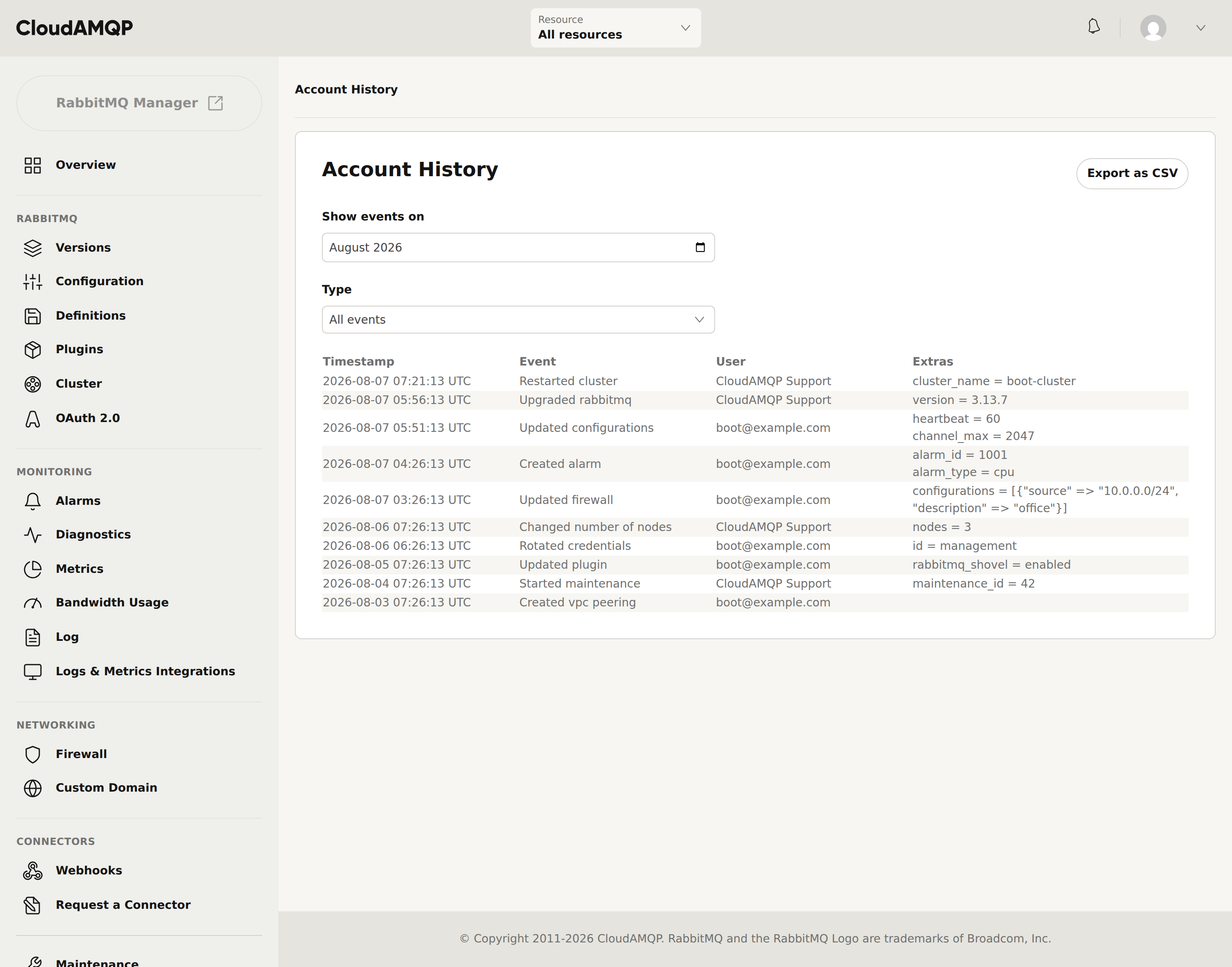
Each row shows the timestamp, the event, the user who made the change and any extra details. Actions carried out by our staff on your behalf — for example during a support request — are attributed to CloudAMQP Support, so it's always clear whether a change came from your team or from CloudAMQP.
As with the team Audit Log, you can filter Account History by month and event type, and export the selected period as CSV.