CloudAMQP Console Overview
The CloudAMQP Console provides tools and features to simplify managing RabbitMQ and LavinMQ instances. Monitor server metrics, set alarms, enable or disable plugins, view connection details, handle upgrades, and check cluster health, all from one place.
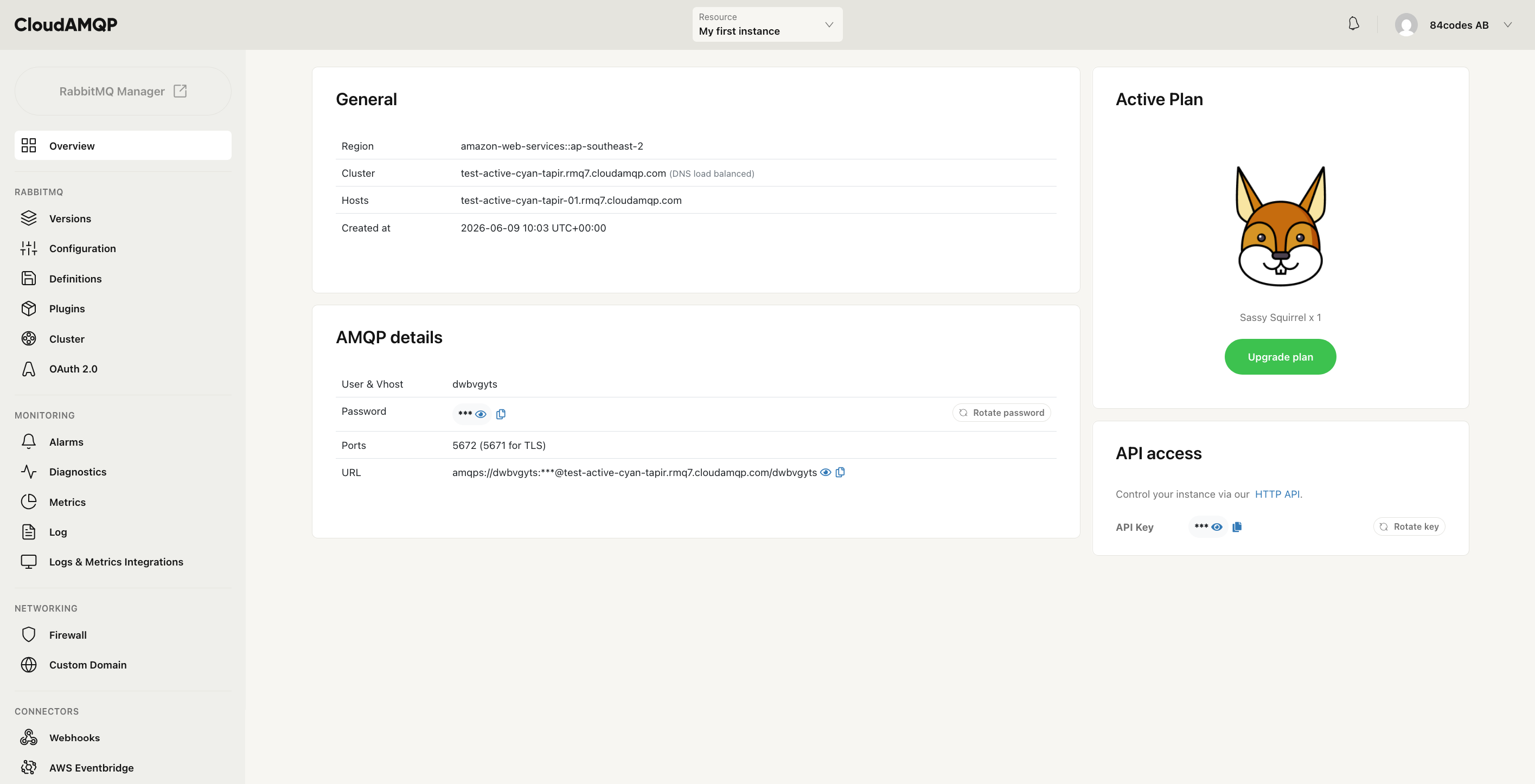
All options in the menu have a separate help section where we dive deeper:
| Overview | View instance details and connection information, including hostname, credentials, and AMQP URL. |
RabbitMQ/LavinMQ
| Versions | View and manage the RabbitMQ or LavinMQ version running on the instance. |
| Configuration | Adjust RabbitMQ or LavinMQ configuration settings such as heartbeat interval, connection limits, and memory watermark. |
| Definitions | Export or import RabbitMQ or LavinMQ definitions including exchanges, queues, and bindings. |
| Plugins | Enable or disable RabbitMQ plugins with a single click. |
| Cluster | View and manage the nodes in the cluster, including node health and status. |
Monitoring
| Alarms | Set up alarms to get notified when metrics exceed defined thresholds. |
| Diagnostics | Run diagnostics to identify potential issues with the instance. |
| Metrics | View server metrics such as message rates, memory usage, and active connections. |
| Logs | Access the RabbitMQ or LavinMQ log to monitor activity and troubleshoot issues. |
Networking
| Firewall | Restrict access to the instance by configuring IP-based firewall rules. |
| Custom Domain | Set up a custom domain for the instance. |
| VPC Peering | Configure VPC peering to connect the instance to a private network. |
| Privatelink | Set up PrivateLink for secure private connectivity without traversing the public internet. |
Integrations
| AWS Eventbridge | Forward messages from RabbitMQ or LavinMQ to AWS EventBridge for event-driven workflows. |
| Webhooks | Send messages to external services via HTTP webhooks. |
| Logs & Metrics | Export logs and metrics to third-party providers such as Datadog, CloudWatch, and Splunk. |
| Maintenance | View and manage scheduled maintenance windows for the instance. |